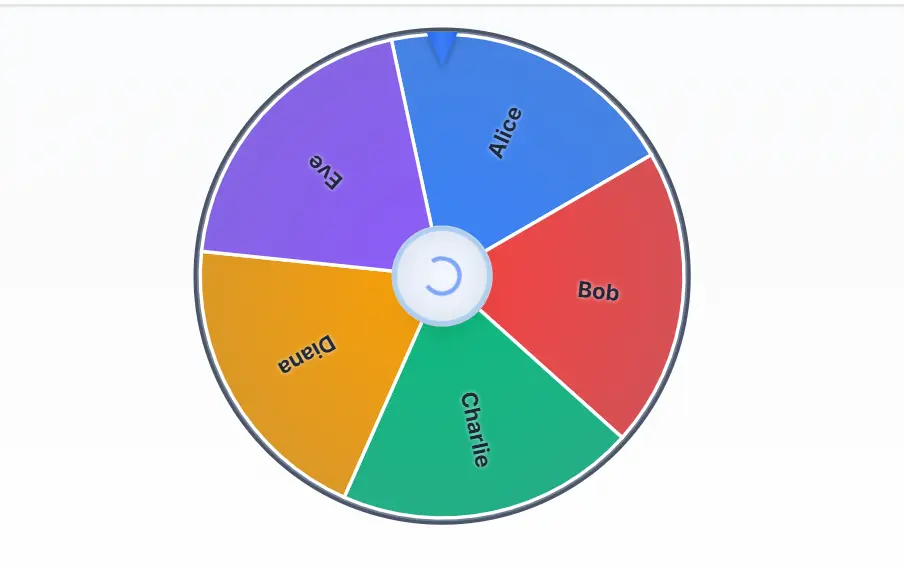

TL;DR: Our Quick Picks
- Best overall wheel: Wheel of Names — free, no paywall, customizable, saves and shares wheels, great for classrooms and raffles.
- Best true-random generator: Random.org — atmospheric-noise randomness since 1998, independently certified, used for official draws.
- Best for research & sampling: Research Randomizer — free, no signup, generates seeded random sets you can cite in your methods.
- Best for raffles & giveaways: RandomPicker.com — auditable certificates, free up to 100 entries, free for nonprofits.
- Best simple decision wheel: Picker Wheel — three modes (normal, elimination, accumulation), works in your browser.
- Best for live audiences: AhaSlides Spinner — interactive, audience-participation spins, free up to 50 people.
- Best for social-media giveaways: Comment Picker / Woobox / Easypromos — pull comments from Instagram, Facebook, YouTube and draw fairly.
- Best free no-login toolkit: The random generators right here on AIToolsPros — random number picker, name picker, group generator, and more.
A randomizer tool — also called a random tool, randomization tool, random picker, or sample randomizer — takes a list, a range of numbers, or a set of options and picks one (or many) with no pattern, no bias, and no favoritism. You use one to pick a raffle winner, assign students to groups, sample survey respondents, settle a “where should we eat?” debate, or generate test data. But here is the catch most listicles skip: not every randomizer is equally random, and for anything that matters — a prize draw, a scientific study, a password — the difference between a cheap algorithm and true randomness can get you accused of rigging, or worse. Apidog’s roundup of the top randomizer tools frames the same point: the right tool depends on whether you need fun, fairness, or cryptographic security. This guide ranks the 13 best, explains how randomness actually works, shows you how to spot a rigged draw, and tells you exactly which one to use for each job.
How Randomness Works (And Why Most “Random” Buttons Aren’t Truly Random)
Before you pick a tool, understand the three levels of randomness — because the label “random” means very different things.
| Type | How it works | Predictable? | Good for |
|---|---|---|---|
| Pseudorandom (PRNG) | A math formula generates a sequence that looks random. Same seed = same sequence. Math.random() in JavaScript. | Fully, if you know the seed | Games, fun decisions, low-stakes picks |
| Cryptographically secure (CSPRNG) | Stronger algorithm seeded with real-world entropy (keyboard timing, network delays, hardware noise). Next output is unpredictable. | Computationally infeasible | Passwords, keys, fair draws, private data |
| True random (TRNG) | Measured from a physical, unpredictable event — atmospheric noise, radioactive decay, thermal noise. | No | Official lotteries, certified draws, cryptography seeding |
For a classroom pick or a dinner decision, a PRNG is fine. For a public raffle with a real prize, you want a certified, auditable tool. For a password, encryption key, or anything security-sensitive, you need a CSPRNG at minimum — which is exactly what a good password generator and UUID generator use under the hood. Wikipedia’s overview of random number generation covers the technical distinction if you want to go deeper.
One more concept worth knowing: weighted randomization. Some tools let you assign different probabilities to different entries (e.g., “Premium members have 3× the chance”). That is perfectly legitimate as long as you disclose it to participants — secretly weighting a draw is what makes it rigged.
The Best Randomizer Tools at a Glance
| Tool | Best For | Price | Randomness Type | Standout Feature |
|---|---|---|---|---|
| Random.org | True-random numbers, official draws | Free + paid API | True (atmospheric noise) | Independently certified, since 1998 |
| Wheel of Names | Spinning wheel, classrooms, raffles | Free (no paywall) | CSPRNG | Save/share wheels, remove winners, weighted segments |
| Research Randomizer | Academic sampling & random assignment | Free | PRNG (seeded) | No signup, printable, citable |
| RandomPicker.com | Raffles, giveaways, auditable draws | Free ≤100 entries; $49+ | Certified | Auditable certificates, free for nonprofits |
| Picker Wheel | Simple decisions, 3 spin modes | Free (ads) | CSPRNG | Normal / elimination / accumulation |
| Wheel Decide | Ultra-simple wheel | Free (ads) | PRNG | No signup, dead simple |
| AhaSlides Spinner | Live audiences, events | Free ≤50 participants | CSPRNG | Real-time audience input |
| Classtools Name Picker | Teachers, quick draws | Free (ads) | PRNG | Screenshot results, no login |
| Comment Picker | Instagram/Facebook/YouTube giveaways | Free + paid | CSPRNG | Pulls comments automatically, shareable result |
| Woobox | Social comment/like winner picks | Free to start | CSPRNG | Filters, records, easy redraws |
| Easypromos | Brand giveaways needing legal proof | Free trial + paid | Certified | Verifiable audit certificates, Meta Graph API |
| Random Name Picker (AIToolsPros) | Quick name draws | Free | CSPRNG | No signup, runs in your browser |
| Random Group Generator (AIToolsPros) | Team & group assignment | Free | CSPRNG | Balanced groups in one click |
Detailed Reviews of the Top Randomizer Tools
1. Random.org — Best True-Random Generator
Random.org is the gold standard for serious randomness. Launched in 1998 by Dr. Mads Haahr of Trinity College Dublin, it generates numbers from atmospheric noise — radio static from lightning strikes captured by receivers in Copenhagen, Dublin, and Ballsbridge — then applies a von Neumann skew-correction algorithm. Each radio source generates about 12,000 bits per second. It is independently certified, used by governments and lotteries for official draws, and offers everything from simple integers and sequences to coin flips, dice, card shufflers, and a paid API for developers. Per Random.org’s official FAQ, the frequencies the radios use are unpublished, making a deliberate radio-frequency attack impractical.
Key details:
- Price: Generous free quota; paid API from around $0.90 per million bits, with top-up options.
- Best for: Raffles that need provable fairness, lotteries, statistical sampling, developers.
- Pros: True randomness, decades of trust, certification, API access, no account needed for basic use.
- Cons: Interface looks dated, free quota limits apply, no spinning-wheel visuals.
2. Wheel of Names — Best Spinning Wheel
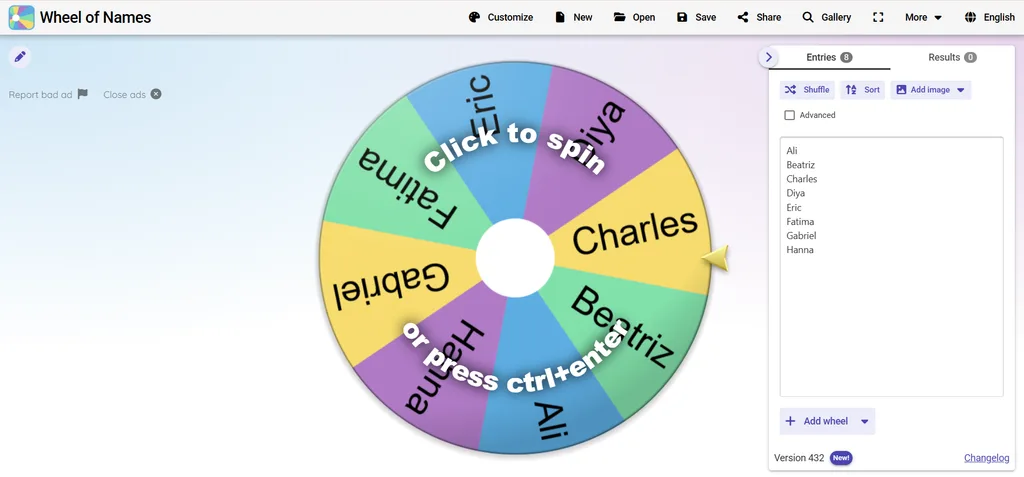
Wheel of Names is the most recognizable spinning-wheel randomizer, and for good reason. You paste a list of names or options, hit spin, and a colorful wheel animates down to a winner with sound effects and confetti. You can customize colors and themes, add a custom logo, save wheels (cloud or local-only), share them by short link, weight segments, and turn on “remove winner after spin” so nobody gets picked twice. Importantly, all premium features are free — there is no paywall; the site runs on ads, which you can close for the session. It uses a cryptographically secure random source, and the winner is chosen first, then the spin animation lands on it — the animation is theater, the number is the real draw.
Key details:
- Price: 100% free (ad-supported); no paid tier.
- Best for: Classrooms, office giveaways, live streams, team icebreakers.
- Pros: Polished animation, save/share wheels, remove-winner mode, weighted segments, mobile-friendly.
- Cons: Ads on the page, no auditable certificate for official draws.
3. Research Randomizer — Best for Research & Sampling
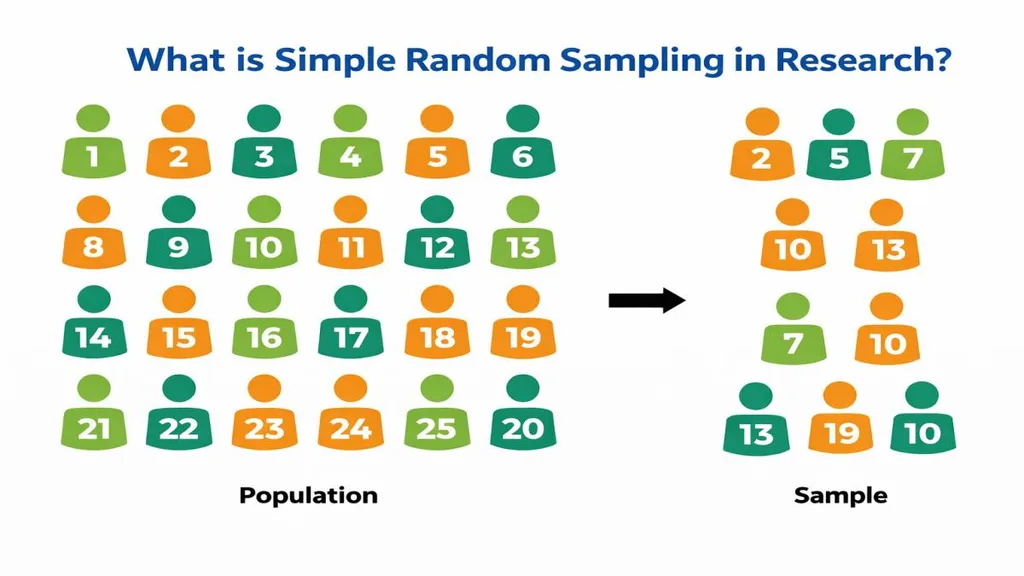
Research Randomizer (randomizer.org) is the sample randomizer built specifically for social-science research. You tell it how many sets of numbers you need, how many numbers per set, the range, and whether you want sampling with or without replacement — and it generates a seeded, printable random set you can cite in your methods section. No signup, no account, no cost. Its official tutorial walks through a concrete example: randomly sampling 50 students out of 643. Researchers use it for simple random sampling, random assignment to treatment and control groups, and systematic sampling. It is deliberately plain — no animations, no upsells — which is exactly what a researcher wants.
Key details:
- Price: 100% free, no registration.
- Best for: Academic research, thesis sampling, A/B test assignment, survey sampling.
- Pros: Designed for researchers, seeded and reproducible, printable/citable, no account.
- Cons: Bare-bones interface, no wheel or visual output, not for raffles.
4. RandomPicker.com — Best for Raffles & Giveaways
RandomPicker.com is built for one job: picking giveaway and raffle winners in a way nobody can dispute. It records every draw, generates a public verification certificate, and uses anti-fraud measures so you can prove to participants and sponsors that the draw was fair. It is free for drawings up to 100 entries; a single larger draw starts at $49 (up to 1,000 entries), and annual plans run $129–$499 depending on volume and features. Qualified nonprofits and charities get it free for up to 100,000 entries. If you run social-media giveaways or company raffles with real prizes, this is the tool that protects you from “the draw was rigged” accusations.
Key details:
- Price: Free up to 100 entries; $49 single draw; $129–$499/yr plans; free for nonprofits.
- Best for: Brand giveaways, fundraiser raffles, contests with real prizes.
- Pros: Auditable public certificates, anti-fraud, handles large entry lists, live event mode, nonprofit free tier.
- Cons: Paid for large commercial draws, overkill for a classroom pick.
5. Picker Wheel — Best Simple Decision Wheel
Picker Wheel keeps it simple. You enter your choices, spin, and get a result. It offers three modes that cover most real needs: Normal (every spin is independent), Elimination (remove the winner after each spin — perfect for drafting teams), and Accumulation (weight results over multiple spins). It saves your wheels in the browser without an account and works offline. It uses the browser’s Web Crypto API, so its randomness is cryptographically secure.
Key details:
- Price: Free (ad-supported); premium removes ads.
- Best for: Quick decisions, classroom drafts, weighted choices.
- Pros: Three smart modes, no signup, CSPRNG randomness, mobile-friendly.
- Cons: Less polished than Wheel of Names, ads on free tier.
6. Wheel Decide — Ultra-Simple Wheel
Wheel Decide is the no-frills option. Type in your choices, spin, done. No account, no saving, no sharing — just a wheel. It is ad-supported and uses a basic PRNG, so it is best for low-stakes decisions. If you need to pick a movie or decide who takes the trash out, it is the fastest tool on this list.
7. AhaSlides Spinner — Best for Live Audiences
AhaSlides Spinner is built for events where the audience participates live. Attendees join with a code, and you can spin a wheel that includes their submitted names or answers in real time. It integrates with presentations, supports multiple wheels, and adds a Duck Race mode for extra energy. The free tier covers up to 50 live participants; paid plans start around $7.95/month (Essential, 100 participants) and $15.95/month (Plus, up to 2,500).
Key details:
- Price: Free up to 50 participants; paid from ~$7.95/mo.
- Best for: Conferences, webinars, live classrooms, team events.
- Pros: Real-time audience input, presentation integration, high-energy modes.
- Cons: Overkill for solo use, best features are paid.
8. Classtools Random Name Picker — Best Free Classroom Tool
Classtools’ name picker is a longtime teacher favorite. Paste your class list, spin, and it removes names as they are picked so every student gets a turn. You can screenshot the result, and there is no login at all. It is ad-supported and basic, but for a teacher who just needs to call on students fairly, it is perfect.
9–11. Social-Media Giveaway Pickers: Comment Picker, Woobox, Easypromos
If your “list” is the comment thread of an Instagram, Facebook, or YouTube post, a general wheel won’t help — you need a tool that pulls the entries automatically. Three stand out:
- Comment Picker (commentpicker.com) — the most widely used free option. Paste a public post URL, it fetches comments, applies keyword and duplicate filters, draws a winner, and generates a shareable result page. Free tier covers standard draws; paid tiers add more comments and features.
- Woobox — around since 2010. Connects to your post, pulls comments and reactions, filters eligible entries, keeps records, and makes redraws easy. Free to start.
- Easypromos — the enterprise-grade choice. Uses the official Meta Graph API, supports multi-post draws and filters (hashtags, minimum tags, one-entry-per-user), and issues verifiable audit certificates that survive legal and client scrutiny. Free trial; paid subscriptions.
For a small creator giveaway, Comment Picker is enough. For a brand campaign that needs to stand up to a legal review, use Easypromos or RandomPicker.com.
12–13. AIToolsPros’ Own Free Randomizer Toolkit
If you want zero ads, no signup, and cryptographically secure randomness, the AIToolsPros generator suite covers the most common randomization jobs directly in your browser — your lists never leave your device, which is a real privacy advantage:
- Random Number Picker — set a range, how many numbers to draw, and whether repeats are allowed. Ideal for lotteries, giveaways, and test data.
- Random Name Picker — paste a list and draw one or many names, with optional removal after each pick.
- Random Group Generator — split any list into balanced teams or groups in one click.
- Random Picker — a general-purpose picker for any list of items.
- Random Birthday Generator — random dates for testing, fiction, or anonymized data.
Which Randomizer Should You Use? Match the Job to the Tool
The “best” randomizer depends entirely on what you are doing. Use this cheat sheet:
- Picking a student to answer a question: Wheel of Names, Classtools, or the AIToolsPros random name picker.
- Splitting a class into teams: AIToolsPros random group generator — it balances groups automatically.
- Raffle with a real prize: RandomPicker.com (auditable) or Random.org (certified true random).
- Instagram/Facebook/YouTube giveaway: Comment Picker (small), Woobox or Easypromos (brand/legal).
- Academic research sampling: Research Randomizer — cite it in your methods section.
- Live event / audience draw: AhaSlides Spinner or Wheel of Names on a big screen.
- Generating a password or API key: Never use a wheel — use a dedicated password generator or UUID generator.
- Picking lottery numbers or dice rolls: Random.org’s true-random generators.
- Random test data for software: AIToolsPros random number picker or Random.org’s API.
How to Spot a Rigged Draw (Fairness & Security Checklist)
When something of value is on the line — a giveaway prize, a job assignment, a research conclusion — check five things before you trust a result:
- Randomness source. Is it a basic PRNG (fine for fun), a CSPRNG (good), or a certified true-random source (best for official draws)? If the tool won’t say, assume the weakest.
- Auditability. Can you prove afterward that the draw happened, when, and who won? RandomPicker.com and Easypromos issue certificates; a basic wheel does not.
- No-repeat options. For fair multi-round draws, the tool should remove winners automatically — and you should be able to prove it did.
- Disclosed weighting. Weighted segments are fine if participants know about them. Secret weighting is the most common way draws get rigged.
- Privacy. Does the tool upload your list to a server? Client-side tools (like the AIToolsPros generators) never see your data — important if your list contains real names or emails.
And remember: a spinning wheel is not inherently rigged just because you watch it slow down. A well-built wheel picks the winner with a secure random number first, then animates a spin that lands on that segment — the animation is suspense, the number is the real draw. The risk comes from tools that let a host pre-select a winner or weight segments without telling participants. For public draws, use a tool with an auditable record and show the whole process live.
How to Use a Randomizer in Research (Properly)
If you are using a sample randomizer for a study, do it right so your methodology holds up:
- Decide your sampling frame first. List every member of the population and assign each a unique number before you generate anything.
- Choose sampling with or without replacement. Most studies sample without replacement (no participant selected twice). Research Randomizer supports both.
- Record the seed and settings. A seeded randomizer lets you — and a reviewer — reproduce the exact sample. Save the output as a PDF.
- Report it in your methods. Cite the tool, the version, the seed, and the date. Research Randomizer is designed to be cited this way.
- For random assignment to groups, generate one random number per participant, sort by that number, and split into groups — or use stratified randomization if you need balance on key variables like gender or age.
If you are also using AI in your research workflow, our prompt engineering guide can help you keep that work consistent, reproducible, and well-documented too.
Three Common Randomizer Mistakes to Avoid
Even with a good tool, people undermine fairness in predictable ways. Avoid these:
- Picking “the first random-looking number.” Human intuition is terrible at randomness — we see patterns in noise. Always let the tool generate, never “eyeball” a selection.
- Re-rolling until you like the result. If you spin again because the first winner was inconvenient, the draw is no longer random. Set your rules in advance and stick to them.
- Using a low-stakes tool for a high-stakes draw. A free PRNG wheel is fine for who buys coffee. For a $5,000 giveaway, use an auditable, certified tool — the cost of a dispute is far higher than the cost of the tool.
Frequently Asked Questions
What is the best randomizer tool?
For most people, Wheel of Names is the best all-around randomizer for fun and classroom use — and it is completely free. For certified fairness, use Random.org or RandomPicker.com. For research sampling, use Research Randomizer. For quick no-login draws, the AIToolsPros random picker and random number picker are free and private.
Are online random wheels truly random?
Most modern wheels use a cryptographically secure random number generator (CSPRNG) in the browser, which is random enough for giveaways and classrooms. A few older tools use a basic PRNG. Only Random.org uses true physical randomness (atmospheric noise). For official draws, use a certified, auditable tool.
What is a research randomizer used for?
A research randomizer generates random numbers or sets that researchers use to select a random sample from a population or randomly assign participants to treatment and control groups. It produces seeded, reproducible results that can be cited in a study’s methods section.
Can a randomizer be rigged?
A poorly built one can be — if the host can pre-select a winner or secretly weight segments. That is why public prize draws should use an auditable tool like RandomPicker.com or Easypromos, or a certified true-random source like Random.org that produces a verifiable record, and run the draw live.
What is the difference between true random and pseudorandom?
Pseudorandom numbers come from a mathematical formula and are fully predictable if you know the starting seed. True random numbers come from an unpredictable physical event like atmospheric noise or thermal radiation. Cryptographically secure PRNGs (CSPRNGs) sit in between: deterministic in theory but unpredictable in practice when properly seeded.
Is it safe to put names into an online randomizer?
It depends on the tool. Client-side tools that run entirely in your browser never send your list to a server — those are safest. Tools that require an account or upload your data may store it. For sensitive lists, use a client-side generator or replace names with initials/ID numbers.
Which randomizer is best for raffles and giveaways?
RandomPicker.com is purpose-built for raffles, with auditable certificates, anti-fraud records, a free tier up to 100 entries, and a free nonprofit tier. Easypromos is the enterprise-grade alternative for social-media giveaways. Wheel of Names is fine for low-stakes office giveaways but lacks an audit trail.
Can I use a randomizer to generate passwords?
No — use a dedicated password generator instead. A wheel or name picker is not designed for cryptographic security, and reusing a general randomizer for passwords can leave you with weak or predictable results. A proper password generator uses a CSPRNG and lets you set length and character types.
Final Verdict
Randomizers are one of those quiet productivity tools that save you from bias, arguments, and “who goes first?” standoffs — but the tool must match the stakes. Use a fun wheel for classroom energy, a certified true-random source for prize draws, Research Randomizer for academic sampling, and a client-side CSPRNG tool for anything private. The AIToolsPros random generator suite covers the everyday jobs — number picker, name picker, group generator, random picker, and birthday generator — with no signup, no ads, and nothing leaving your browser. Pick the right level of randomness for the job, show the draw live when it matters, and you will never have to defend a “rigged” result again.